Instagram Reels has become one of the most time-consuming features in the Instagram app. The short-video feed is algorithmically designed to keep you scrolling — and for many people, a quick check on Instagram turns into 30 minutes of watching random clips.
The frustrating part is that Instagram is still useful for plenty of other things. You might rely on it for DMs, following specific accounts, or checking in on friends. The problem isn't the app itself — it's the Reels tab and the endless autoplay feed that quietly takes over your time.
This guide explains how to block Instagram Reels on Android using ScrollEclipse, a digital wellbeing app built specifically to target distracting feed surfaces while leaving the useful parts of social apps available.
Why Block Instagram Reels Instead of Uninstalling Instagram?
Deleting Instagram entirely is one option — but it means losing access to everything: your messages, your saved posts, your profile. For most people, that's too extreme. What they actually want is to use Instagram without Reels taking over.
Instagram doesn't provide a built-in option to disable Reels. You can hide individual Reels, but the tab and the feed always come back. Android's built-in Digital Wellbeing timers can restrict the entire Instagram app, but they don't distinguish between useful areas and the Reels feed.
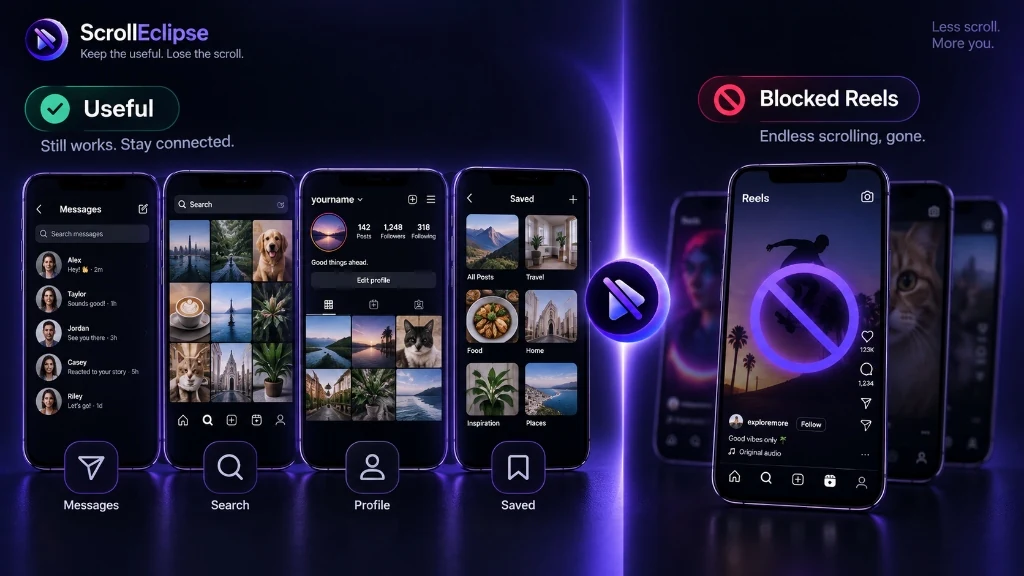
That's where a targeted social media blocker comes in. Instead of blocking or deleting the whole app, ScrollEclipse lets you block specifically the parts that cause distraction — like Instagram Reels — while keeping the parts you actually need.
What ScrollEclipse Blocks on Instagram
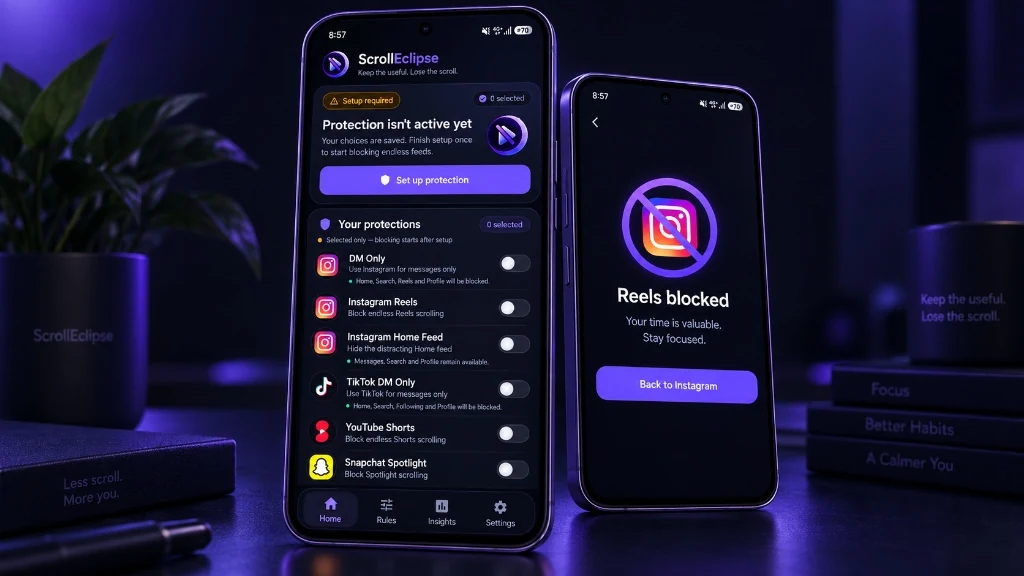
ScrollEclipse offers multiple protection modes for Instagram on Android. Here's what each one targets:
- Instagram Reels — Blocks the Reels feed, which is the main endless-scroll surface in Instagram.
- Instagram Home Feed — Blocks the main Instagram home feed, which includes suggested posts and algorithmic content.
- Instagram DM Only — Restricts Instagram navigation to messages-focused areas only, blocking both the feed and the Reels tab.
You can enable any combination of these protections depending on what distracts you most.
What Still Works When Reels Are Blocked?
When you block Instagram Reels with ScrollEclipse, the rest of Instagram remains accessible. Depending on the protection mode you choose, the following areas can stay available:
- Direct messages (DMs)
- Search and Explore (depending on protection mode)
- Your profile and saved posts (depending on protection mode)
Good to know: Allowed areas may vary depending on the protection mode you've selected and the current version of the Instagram app. Instagram can change its interface without notice — ScrollEclipse aims to maintain compatibility where technically possible.
How to Set Up Instagram Reels Blocking
Setting up ScrollEclipse to block Instagram Reels takes just a few minutes. Here's how:
- Install ScrollEclipse — ScrollEclipse is coming soon to Google Play. Once available, install it on your Android device and follow the setup steps below.
- Grant Accessibility permission — ScrollEclipse needs Android's AccessibilityService to detect when a supported feed surface is visible. It processes structural UI signals only — not your messages, content, or passwords. You can disable it at any time in Android Settings.
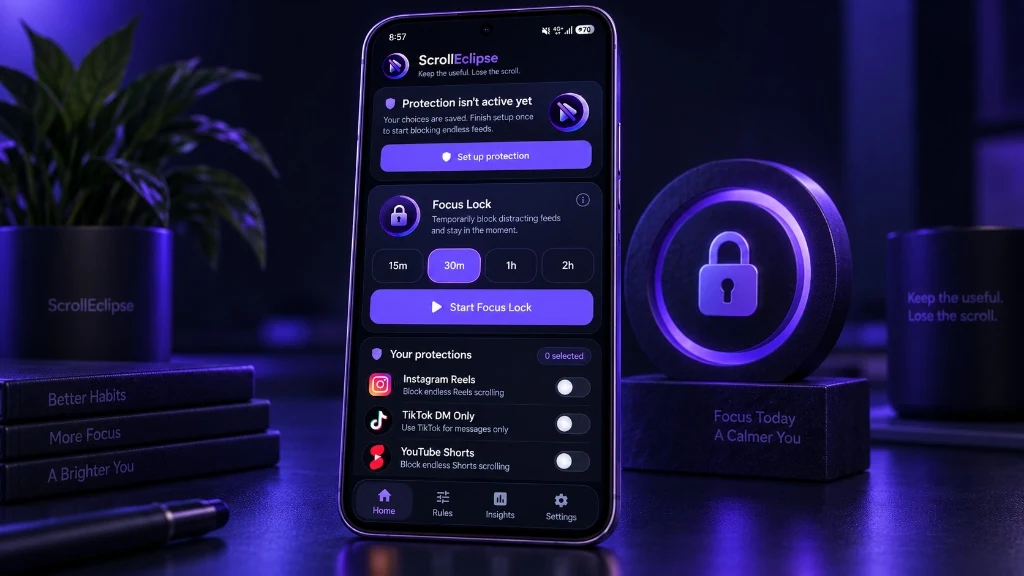
- Select Instagram Reels protection — Open ScrollEclipse and enable the Instagram Reels protection. You can also enable Instagram Home Feed or Instagram DM Only mode if you want broader protection.
- Use Instagram normally — When ScrollEclipse detects the Reels feed, it helps restrict access to that specific area. The useful parts of Instagram remain available based on the protection mode you selected.
Locking Your Protection with Focus Lock
If you find yourself tempted to turn off protection, ScrollEclipse includes a feature called Focus Lock. Focus Lock commits your selected protections for a chosen duration — between 15 minutes and 8 hours. Once started, the protections can't be turned off early.
Focus Lock survives app restarts and device reboots. You can add additional protections during an active lock, but they stay committed until the lock ends.
Automating Protection with Schedules
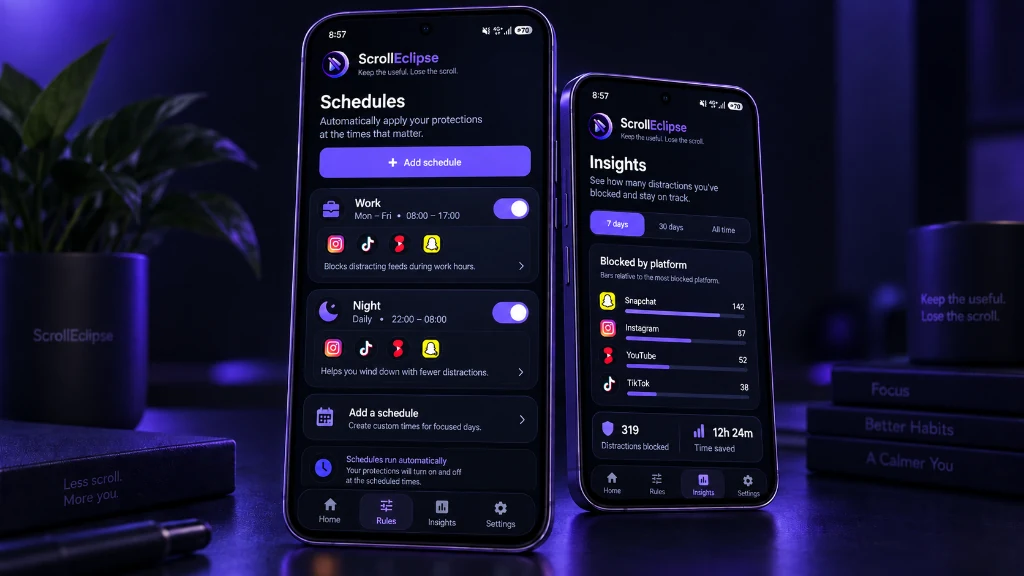
If you want Instagram Reels blocked automatically at certain times — for example, during work hours or before bed — you can set up Schedules. Schedules let you define recurring weekly time windows during which your selected protections activate automatically.
Schedules use your device's local time and support overnight windows. Your manual protection settings are never silently overwritten by schedules — they work alongside them.
Tracking Your Progress with Insights
ScrollEclipse includes local-first Insights that show how many blocking interventions happened over time. You can see counts for today, the last 7 days, and the last 30 days, broken down by platform — including Instagram.
Insights count real ScrollEclipse blocking interventions. They are not a scientifically validated measure of productivity or screen time. Full Insights are available with Premium.
How ScrollEclipse Detects Instagram Reels
ScrollEclipse uses Android's AccessibilityService to detect when a supported feed surface becomes visible. It evaluates structural UI information — not the content of your feed, your messages, or your passwords.
ScrollEclipse does not use screenshots, screen recording, OCR, or microphone access. All detection happens locally on your device. For full details, see the Privacy Policy.
Important Limitations
It's worth being upfront about some limitations:
- Instagram updates — Instagram can change its app interface, resource identifiers, and navigation behavior without notice. After a major Instagram update, ScrollEclipse may not detect the Reels feed correctly until a ScrollEclipse update is released.
- Allowed areas may vary — The specific Instagram areas that remain available depend on the protection mode selected and the current version of Instagram.
- Not a parental control tool — ScrollEclipse is a personal digital wellbeing tool. Focus Lock and other features are not designed as safety-critical or parental-control systems.
- Accessibility permission required — ScrollEclipse requires Android's AccessibilityService to function. You can disable it at any time in Android Settings.
Free vs Premium
Free users can access ScrollEclipse features — including protections, Focus Lock, Schedules, and full Insights — for 4 hours at a time by watching a rewarded ad. You can earn up to 4 rewarded unlocks per rolling 24-hour period. Premium subscribers get continuous access without ads or waiting. See the Pricing section for full details.
Ready to block Instagram Reels?
Want to block Instagram Reels without giving up the rest of Instagram? ScrollEclipse is coming soon to Google Play.
Coming soon on Google Play