Keep the useful.
Lose the scroll.
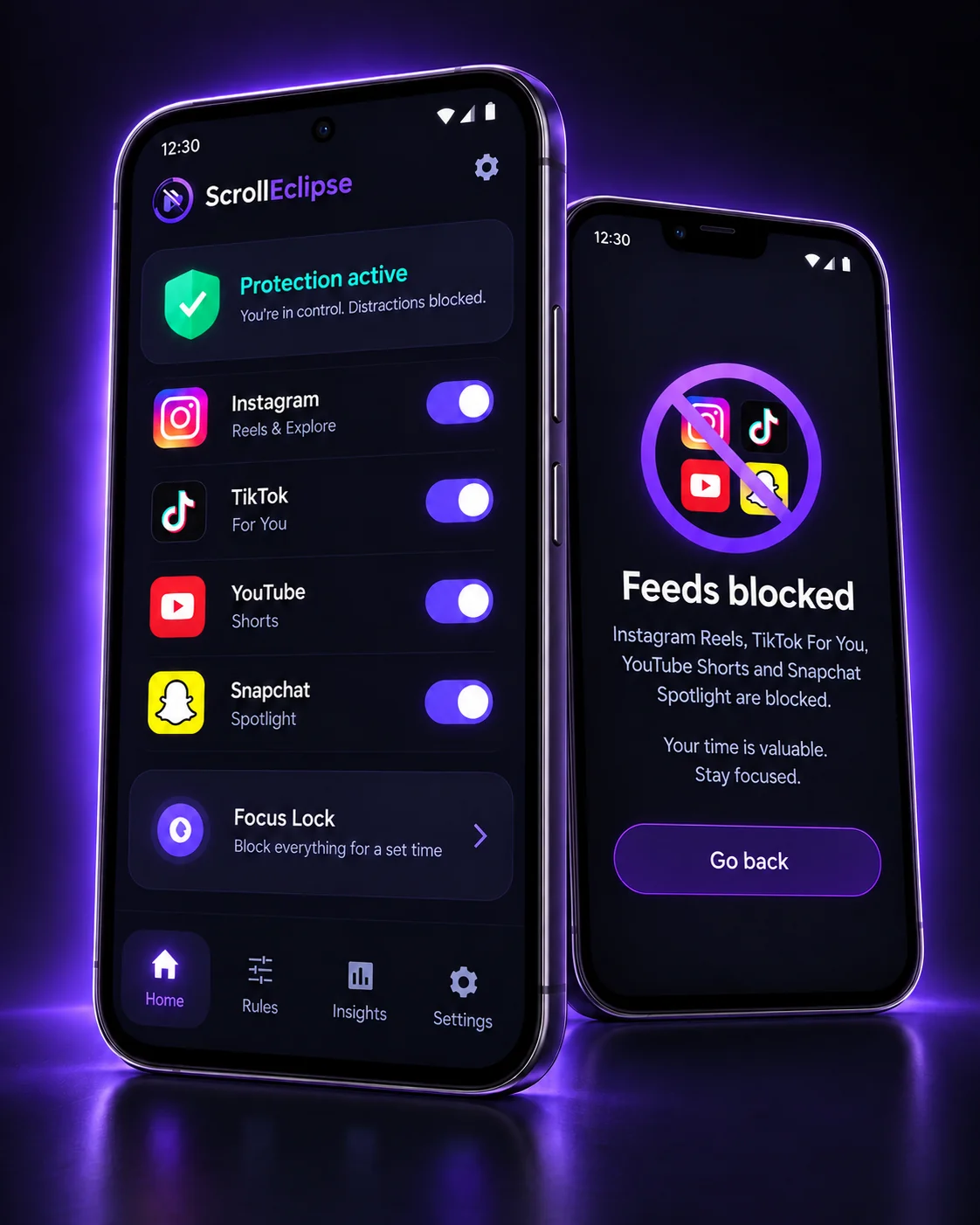
Block Instagram Reels, Instagram Home Feed, TikTok Feed, YouTube Shorts, Snapchat Spotlight and Facebook Reels — without blocking the useful parts of your social apps.
Scroll less. Keep what matters.
ScrollEclipse is now available on Android.
Supported platforms
-
Instagram
-
TikTok
-
YouTube
-
Snapchat
-
Facebook
The feed is optional.
The rest of the app isn't.
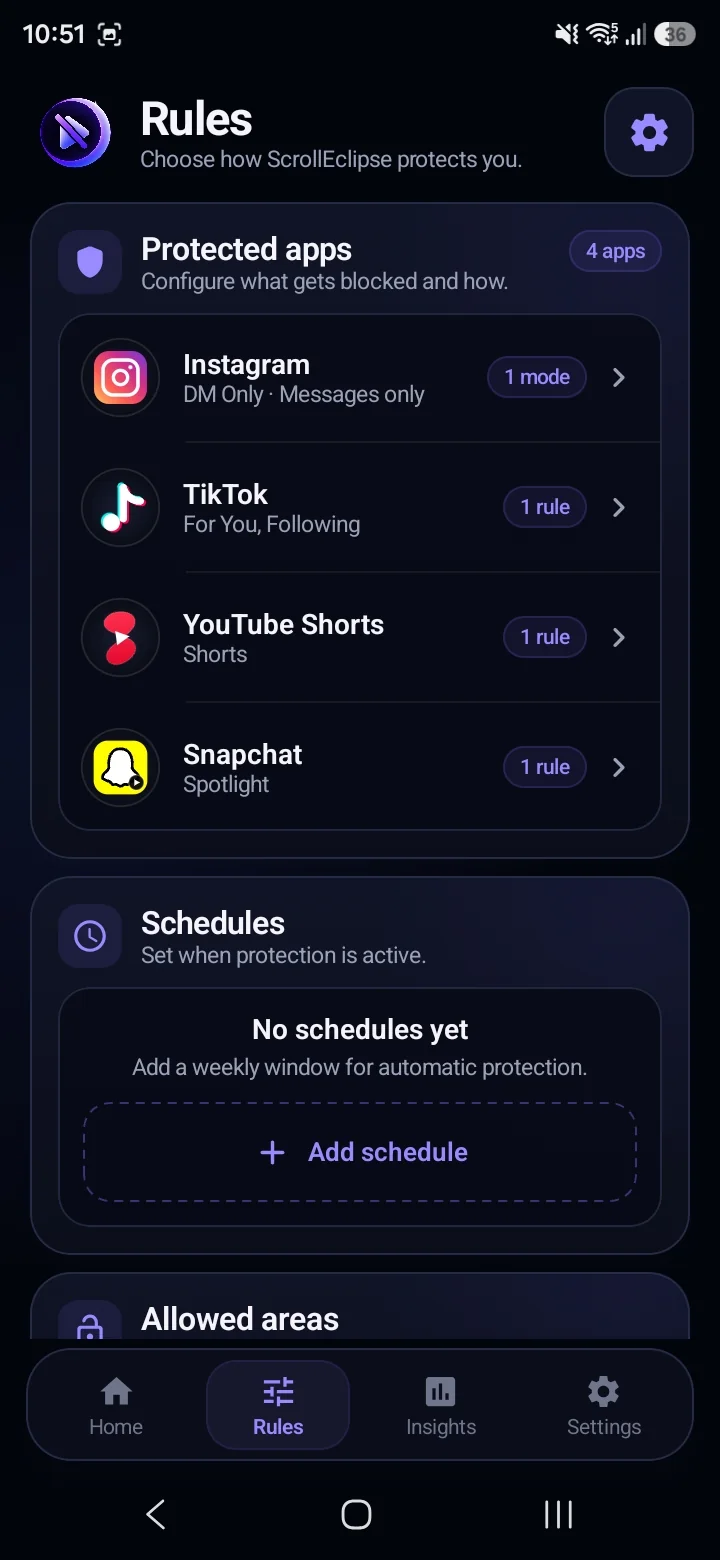
Most blockers shut down the whole app. ScrollEclipse is built differently — it targets the addictive feed surfaces while leaving the parts of the app you actually need.
Lose the distraction
- Instagram Reels
- Instagram Home Feed
- TikTok For You & Following
- YouTube Shorts
- Snapchat Spotlight
- Facebook Reels
Keep what's useful
- Messages where supported
- Search/Profile depending on protection mode
- Regular YouTube videos
- Snapchat Stories/Camera where unaffected
Simple to set up.
Quiet in the background.
Choose what distracts you
Select which feeds to protect — Instagram Reels, TikTok Feed, YouTube Shorts, Snapchat Spotlight, Facebook Reels, or whole Instagram DM-only mode. You're in control.
Enable ScrollEclipse protection
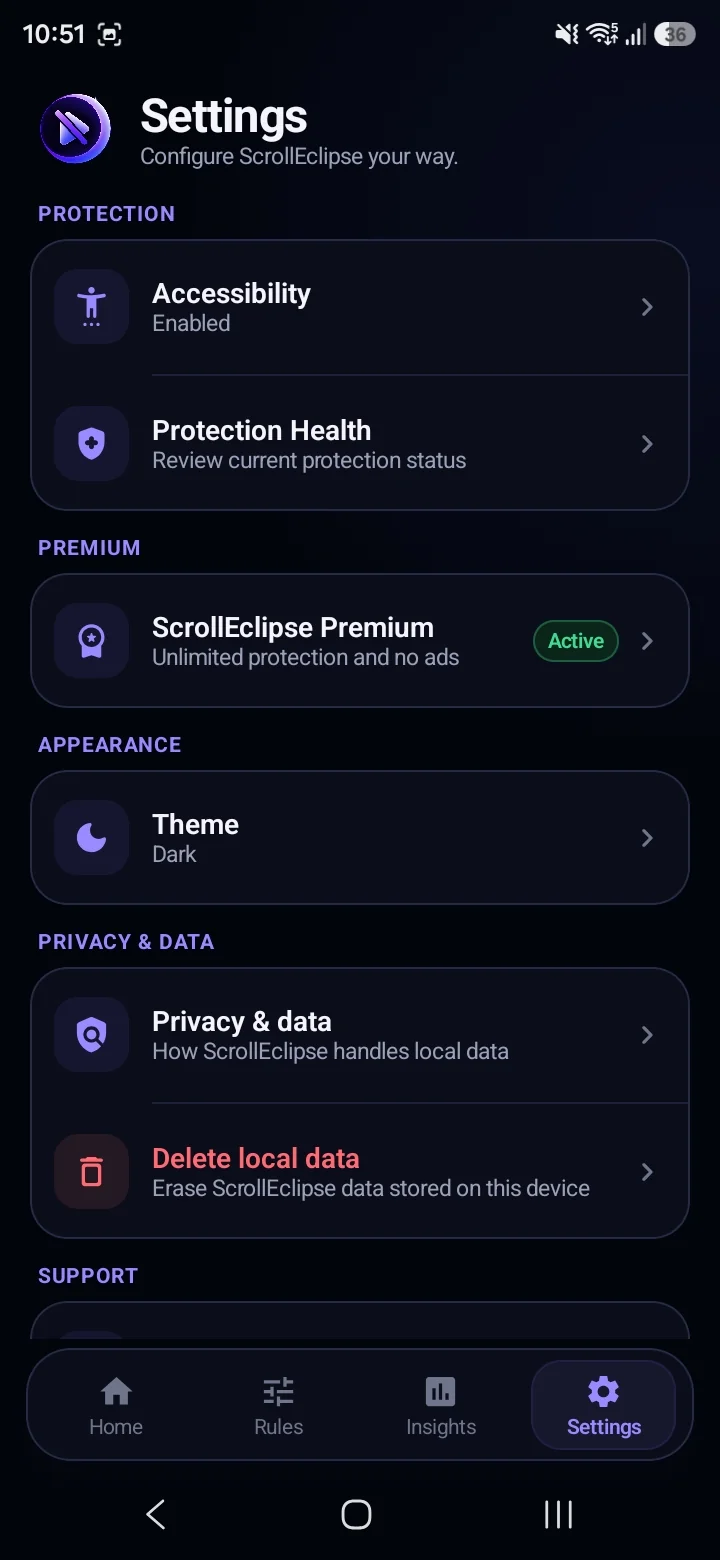
ScrollEclipse uses Android Accessibility to detect supported feed surfaces as you use supported apps. It uses structural UI signals without screenshots or OCR, and you can disable it in Android settings at any time.
Open your apps normally
ScrollEclipse helps restrict selected feeds when you encounter them. Useful areas can remain available depending on the protection mode and supported app.
When willpower
isn't enough.
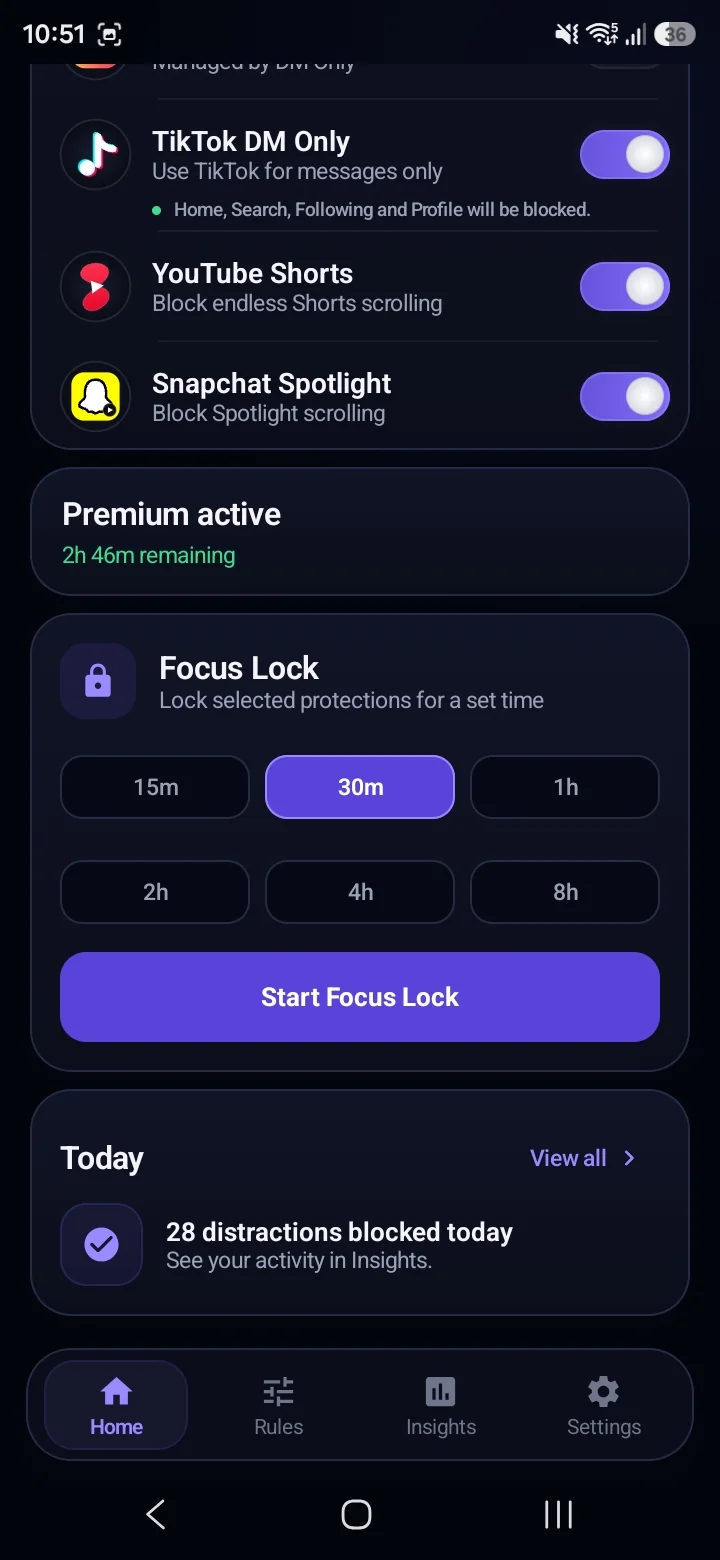
Focus Lock commits your selected protections for a chosen duration. Once started, the protections can't be turned off early — giving you a real boundary, not just a suggestion.
Focus Lock survives app restarts and device reboots. You can add additional protections mid-lock — they stay committed until the existing lock ends.
Protection that shows up
before you need it.
Set recurring weekly windows when ScrollEclipse automatically activates selected protections. Overnight windows are supported.
Schedules run on your device's local time. Manual protection settings and active Focus Lock work alongside schedules — your choices are never silently overwritten.
Track your progress.
Understand your habits over time with simple, transparent tracking.
-
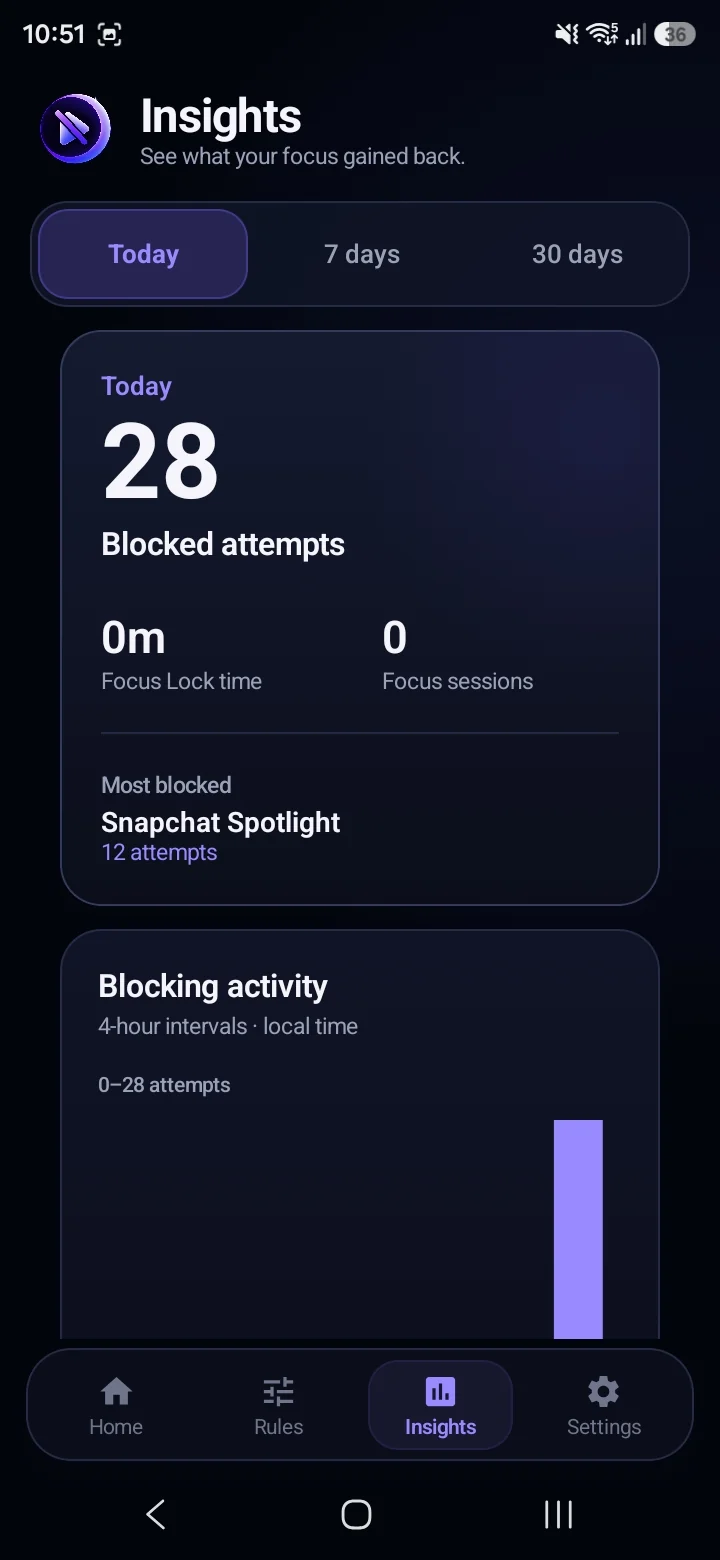
Blocked attempts
See how many ScrollEclipse interventions happened Today, 7 days, or 30 days.
-
Platform breakdown
Instagram, TikTok, YouTube, Snapchat and Facebook.
-
Local activity
ScrollEclipse activity stays on-device.
Insights count real ScrollEclipse blocking interventions. They are not a scientifically validated measure of productivity or screen time, and don't represent "time saved." Full Insights are available with Premium.
Your social content
stays yours.
ScrollEclipse is designed as a local-first, structure-only tool. It evaluates UI structure on your device to detect feed surfaces — not your content.
ScrollEclipse processes structural UI signals on-device. Third-party services like Google Play or AdMob may process limited information as explained in the Privacy Policy.
Start free.
Unlock more when you're ready.
- Premium access: 4h per reward
- Free unlocks: 4 / rolling 24h
- Protection changes: Unlimited for 4h
- Ads: Yes
- Focus tools: Unlocked for 4h
- Waiting: Pass must end
- Premium access: Continuous
- Free unlocks: Not needed
- Protection changes: Unlimited
- Ads: No
- Focus tools: Always included
- Waiting: None
Included Premium Benefits:
- • No rewarded ads or waiting between sessions
- • Focus Lock access
- • Schedules access
- • Full Insights and future advanced features
- • Invite friends and earn Premium
Common questions
-
No. ScrollEclipse is designed to block selected feed surfaces — not the whole app. Depending on the mode you choose, you can block Reels, the Home Feed, or both; direct messages, search and other non-feed areas remain usable. Instagram DM Only mode restricts navigation to messages-focused areas only.
-
Supported protections include Instagram Reels, Instagram Home Feed, Instagram DM Only, TikTok Feed, YouTube Shorts, Snapchat Spotlight, and Facebook Reels. Supported areas may change as the app is updated or as third-party apps change.
-
ScrollEclipse uses Android's AccessibilityService to detect when a supported feed surface becomes visible in another app. This is the only reliable way to detect feed state across apps without requiring social-media login credentials. ScrollEclipse processes structural UI signals only — not the content of your feed. You can disable it at any time through Android Settings.
-
No. ScrollEclipse is designed not to intentionally read, collect, or store the contents of your private messages, captions, usernames, comments, typed text, or passwords. It evaluates structural UI signals to identify feed surfaces — not the social content displayed on screen.
-
No. ScrollEclipse does not use screenshots, MediaProjection, screen recording, OCR, or microphone/audio recording to detect supported feeds. Feed detection relies on structural UI information provided by Android's Accessibility framework.
-
Focus Lock commits your selected protections for a chosen duration — 15 minutes, 30 minutes, 1 hour, 2 hours, 4 hours, or 8 hours. Once started, committed protections cannot be turned off early. The lock survives app restarts and device reboots. You can add additional protections during an active lock, but they also stay committed until the lock ends. Focus Lock is not a parental-control or safety-critical system.
-
Schedules let you define recurring weekly time windows — for example, weekday work hours or evening wind-down time — during which selected protections activate automatically. Schedules use your device's local time. Overnight windows are supported. Your manual protection settings are not overwritten by schedules — they work alongside them.
-
As a Free user, you can voluntarily choose to watch a rewarded ad. When Google's rewarded-ad system confirms the reward has been earned, ScrollEclipse grants 4 hours of temporary Premium access. This gives you access to the same features as a paid Premium subscription for those 4 hours. You can earn up to 4 successful grants in any rolling 24-hour period. Failed, skipped, or unavailable ads do not grant Premium. Rewarded ad availability is not guaranteed.
-
Third-party apps can change their interfaces, resource identifiers, and navigation behavior without notice. ScrollEclipse may not detect a supported feed correctly immediately after a major third-party app update. We aim to maintain compatibility through ScrollEclipse updates where possible, but cannot guarantee uninterrupted compatibility with every version of every supported app.
Your apps can stay.
The endless scroll doesn't have to.
Block Reels, Shorts and endless feeds. Keep your messages. Available now on Google Play.